Compost Companion1.1
Publisher Description

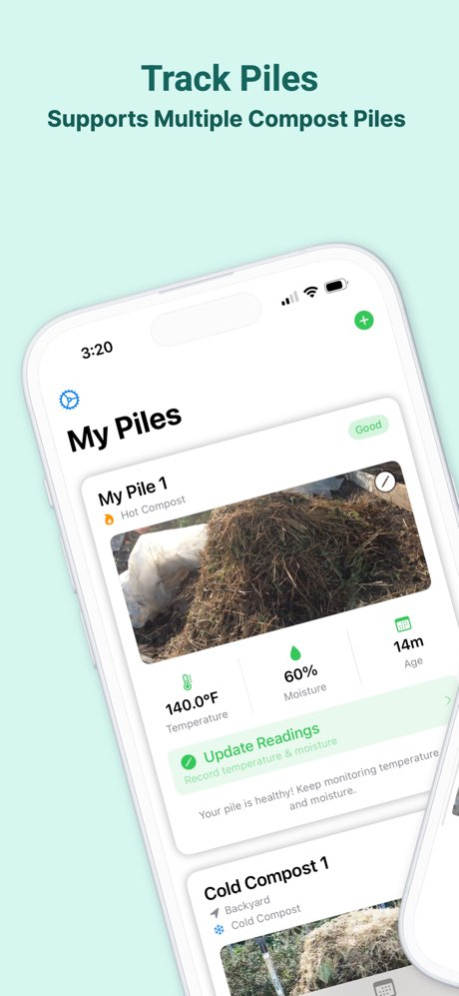


Transform your kitchen scraps and yard waste into rich, nutrient-dense compost with Compost Companion. This comprehensive app helps you manage and monitor your composting journey, whether you're a beginner or an experienced composter.
KEY FEATURES:
. Track multiple compost piles with custom names and locations
. Support for three composting methods: Hot, Cold, and Tumbler
. Smart monitoring of temperature and moisture levels
. Visual brown-to-green ratio tracking
. Detailed material logging with weight/volume tracking
. Task scheduling and reminders
. Progress tracking
. Works completely offline - no internet connection required
PERFECT FOR:
. Home gardeners
. Urban composters
. Community gardens
. Educational institutions
. Environmental enthusiasts
The app provides personalized guidance based on your chosen composting method, helping you maintain optimal conditions for decomposition. Track your materials, monitor conditions, and get notified when it's time to turn your pile or add more materials.
With Compost Companion, you'll have everything you need to create successful compost right at your fingertips. No internet connection required - your composting data stays private and accessible anytime, anywhere.
Start your composting journey today and transform your waste into garden gold!
---
SUBSCRIPTION INFORMATION:
Get an all access subscription and enjoy full access to all features and content. Each comes with a 7-day free trail. The subscription will automatically renew unless turned off in your iTunes Account Settings at least 24 hours before current period ends. You can go to your iTunes Account settings to manage your subscription and turn off auto-renew. Your iTunes Account will be charged when the purchase is confirmed. If you subscribe before your free trial ends, the rest of your free trial period will be forfeited as soon as your purchase is confirmed.
Terms of Service: https://glenbentley.github.io/myapps-legal/compost-companion/terms.html
Privacy Policy: https://glenbentley.github.io/myapps-legal/compost-companion/privacy.html
https://www.apple.com/legal/internet-services/itunes/dev/stdeula/
Version History Performance enhancements. 1.1 04/14/2025 1.0 04/03/2025
About Compost Companion
The company that develops Compost Companion is Glen Bentley. The latest version released by its developer is 1.1.
To install Compost Companion on your iOS device, just click the green Continue To App button above to start the installation process. The app is listed on our website since 2026-10-15 and was downloaded 0 times. We have already checked if the download link is safe, however for your own protection we recommend that you scan the downloaded app with your antivirus. Your antivirus may detect the Compost Companion as malware if the download link is broken.
How to install Compost Companion on your iOS device:
- Click on the Continue To App button on our website. This will redirect you to the App Store.
- Once the Compost Companion is shown in the iTunes listing of your iOS device, you can start its download and installation. Tap on the GET button to the right of the app to start downloading it.
- If you are not logged-in the iOS appstore app, you'll be prompted for your your Apple ID and/or password.
- After Compost Companion is downloaded, you'll see an INSTALL button to the right. Tap on it to start the actual installation of the iOS app.
- Once installation is finished you can tap on the OPEN button to start it. Its icon will also be added to your device home screen.
Program Details
System requirements
Download information
Pricing
Version History
version 1.1
posted on 2026-10-15
Version History Performance enhancements. 1.1 04/14/2025 1.0 04/03/2025
version 1.1
posted on 2025-04-14
Performance enhancements.
